Drawing 3D Images in TAP
3DDisplay ("3DD") FAQ Summary Page
How can I create a 3DDisplay template from HDMapper™?
What can I do with the new TAP 3DDisplay module?
What version of TAP do I need to use 3DD?
How do I start the 3DD function in TAP?
What are the operating system requirements for 3DD?
What are the hardware requirements for 3DD?
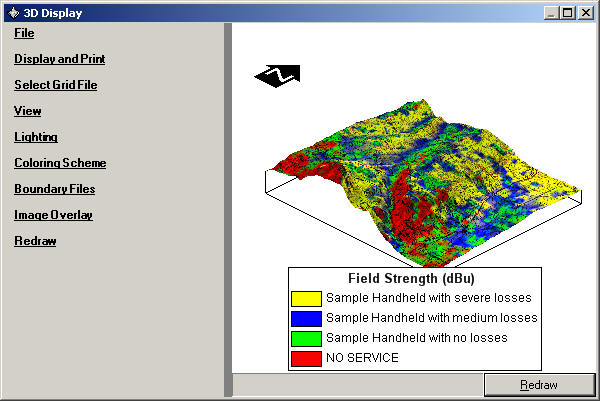
Click on areas of the image below for more information. Also see additional FAQs below the graphic.
How do I change the size or orientation of a 3D image?
How do I open an existing image created with 3DD?
How do I create a new 3D image?
How do I adjust the lighting options for an image?
How do the colors, lighting, and ambient light settings affect the image in 3DD?
How do I set different coloring options for topography or field strength?
How do I add boundary files to the image?
How do I add a map from a graphics file to the 3D image?
What is the Redraw button for?
How do I draw a 3D view of the topography of an area?
How do I display the 3D image as a surface instead of the "wireframe" lines?
How do I change the lighting options on the image?
How do I know the range of elevations or field strength values in a file so I can set my coloring?
How do I show different colors for changing elevations on the 3D image?
How do I add field strength information to the 3D image?
How do I show different colors for different field strength values on the 3D image?
How do I add a graphic file of a map to the 3D image?
How do I add a compass to show the orientation of the 3D image?
How do I add a legend to the drawing?
How do I change the wording for the legend entries?
How do I change the legend titles?
How do I change what is included in the legend?


 |