Training Question:
Does this site provide adequate signal
at I-70 and I-25?
Given a transmitter site and a receiver location, does the
facility provide adequate signal?
The transmitter site is:
Castle Rock Test Site
- 39 25 39.00 N
- 104 52 00.00 W
The highway intersection is at:
Mousetrap (I-70 & I-25)
- 39 46 30.00 N
- 104 59 40.00 W
Required Field Calculation
The first step is to determine what should be considered "adequate
signal" for this study.
- From the TAP "Utilities" menu select "Compute Required Field" to
determine if this field strength level is adequate for specific
receivers to be used at the target location.
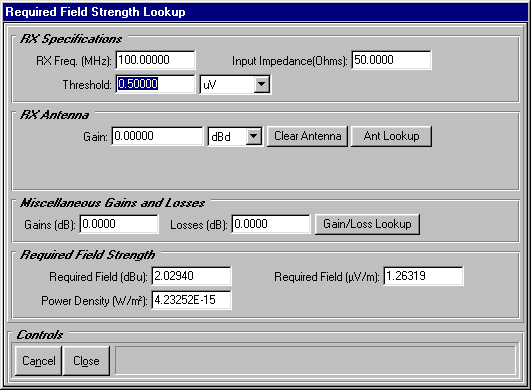
- Enter the manufacturer's specified receiver input voltage
or power
- Enter the receiver antenna gain value
- Enter other gain and losses, OR use the "Gain/Loss Lookup"
button to compute transmission line
losses, and enter building
and body losses, and other
loss categories.
- The program will compute the required field to achieve the
needed receiver input. You can then compare this computed required
level to the predicted field strength level you caclulate with
the Single Point Field program below.
Predicted Field Calculation
Now that we have a value of field strength we can consider
a threshold, we can compute the predicted field from the transmitter
site. From the Coverage menu, select "Single
Point Field":

The TAP Path Setup form is displayed:
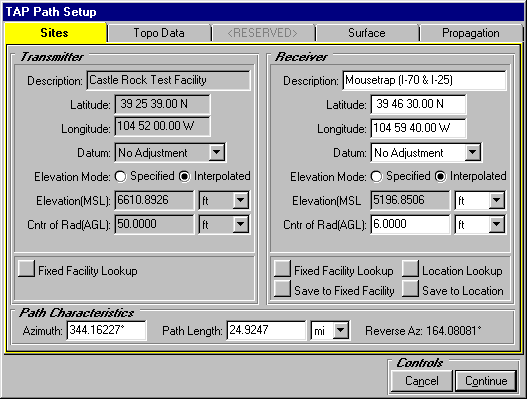
- For the Transmitter Site, use the "Fixed
Facility Lookup" button to find the Castle Rock facility
in the data base.
- For the Receiver Site, either enter the description, coordinates,
and datum
for the site, OR use the "Location Lookup" button to
enter the location in the data base so it can be used again later.
- Enter the height of the center of radiation Above Ground
Level for each antenna.
- With TAP 4.3 and later you can enter the information on the
TAP Path Setup form, then use the "Save
to Location" button to write the values to a new record
in the Location data base.
Click the Topo Data tab on the form:
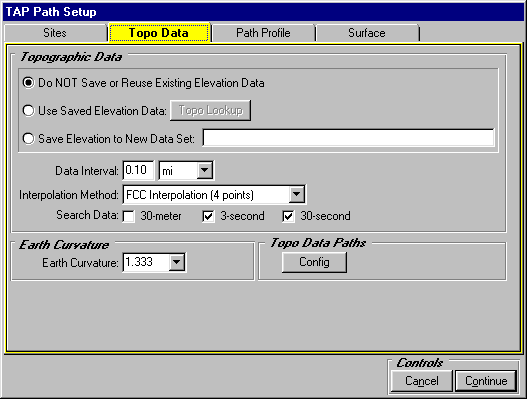
Click the "Surface" tab on the form:
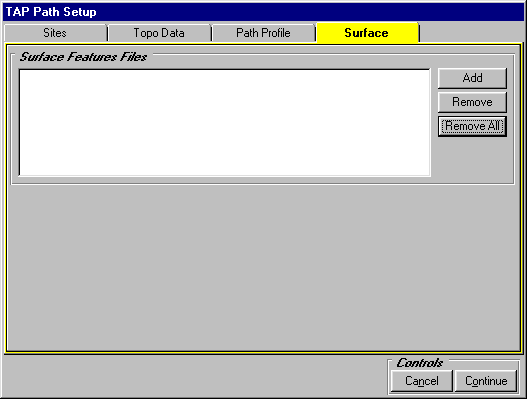
Click the Propagation tab on the form.
- Click the pulldown list to select the Longley-Rice
propagation model. (Note that you can use any of the available
propagation
models in the Single Point Field mode.)
- When the Longley-Rice Parameters Template is displayed, find
the LR Defaults template, then click the Close button on the
Template form.
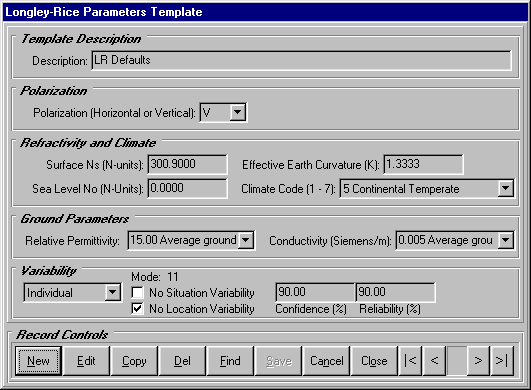
Click the Continue button on the TAP Path Setup form.
The TAP Single Point Field Study form is displayed, showing
the computed field strength at the target site based on the facility
specified:
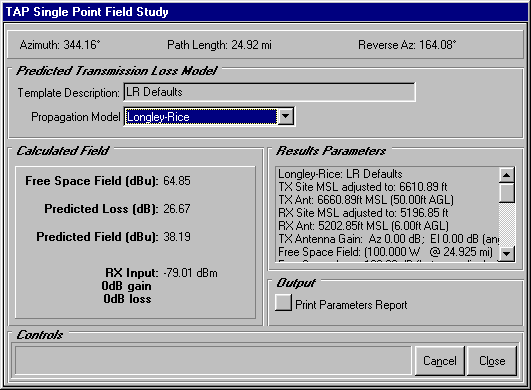
- The computed field strength is displayed on the left side
of the form (in this example, 38.19dBu. For TAP 4.3 and later,
the equivalent receiver input power or voltage (assuming zero
gains and losses for the receiver antenna, transmission line,
etc.).
Copyright 2000 by SoftWright LLC